Facebook Live Selling Software
Sell Live. Skip the Busywork.
Show your products on Facebook Live. Your shoppers comment to buy. BuyItLive helps turn those requests into carts, track stock, and give shoppers a way to pay online.
Spend less time tracking comments and sending invoices. Make more room for what you love: selling and connecting with your customers.
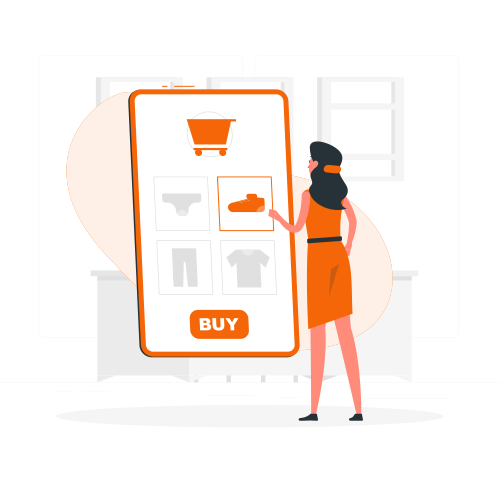
Keep up with the comments
Turn comments into carts
Facebook Live selling software helps you capture purchase comments, track stock, and guide shoppers to checkout.
With BuyItLive, you don’t need to copy each buying request into a spreadsheet. Set up a sale on your connected Facebook Page. Shoppers use your product codes to ask for items.
You can focus on showing the fit of a dress or the shine of a necklace. BuyItLive helps keep those requests in order.
Planning your first show? Follow our step-by-step Facebook Live selling guide.
Less back-and-forth
A cart they can check themselves
“Did you get my comment?” Give shoppers a place to look. They can review their items and see what’s available before they pay.
A simple buying path
From your first product to a paid order
Set up your sale, show what makes each item special, and help shoppers take the next step.
- 01
Add your products
Set prices, product codes, and stock counts. Add options like size and color so shoppers can ask for the right item.
- 02
Connect your Page
Create your live sale on a connected Facebook Page. Test the connection and buying command before you start.
- 03
Show it. Let them claim it.
Share the product code as you show each item. A comment like “buy 123” asks for that product.
- 04
Send cart links in Messenger
BuyItLive sends shoppers a Messenger notification with a link to their personal cart. They can review their items and total, then pay online.
- 05
Know what to pack
Your paid orders show what each shopper bought and whether to ship it or prepare it for pickup.
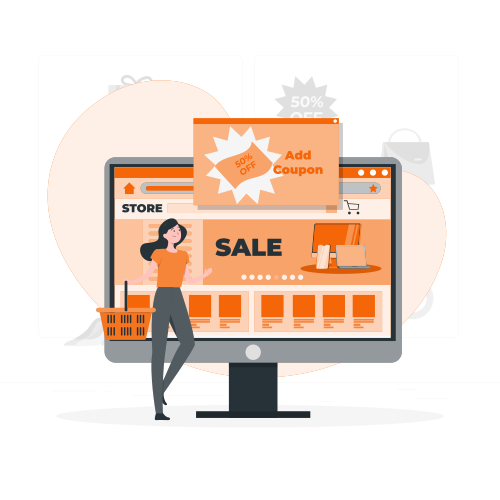
A simple comment. An easier way to buy.
Your shopper sees something they love and comments buy 123. BuyItLive sends them a personal cart link in Messenger, where they can choose a size or color. They can adjust quantities and pay in their cart.
Less back-and-forth for you. A clear path to checkout for them.
Know what you can sell
Keep your inventory under control
You shouldn’t have to guess whether that last necklace is still available. BuyItLive tracks stock held in carts, so those units aren’t offered to another shopper.
When all your remaining stock is held, extra shoppers can wait in line. If a held item becomes available, it can go to the next person in that line.
Stock tracking is on by default. Start with accurate counts, and BuyItLive keeps track of what’s held in carts and what’s still available.
Imagine this sale
You have three in-stock necklaces and no earlier claims. Five people each ask for one. Up to three can be held in carts; the other requests can wait in line.
This is a hypothetical example. Check cart status to see who has an item; the order shown in Facebook’s comments isn’t a promise of priority.
Held in a cart
An available item is set aside for a shopper. A hold alone doesn’t confirm payment.
Waiting in line
A shopper is waiting for an item held in another cart. If it’s released, the line moves forward.
Sold-out waitlist
A shopper can get a restock notice when stock returns. The notice doesn’t hold an item for them.
Preorders and items without stock tracking follow different rules. For a closer look, read the guide to stock, waiting lists, and unpaid carts.
From paid to packed
Keep orders moving
Your show may be over, but your work shouldn’t turn into a scavenger hunt. Keep purchases, payment status, and delivery details together so you can focus on getting orders out.
Know what goes in each package
See what each customer bought in their paid order. Less digging through comments and payment notes. More time getting packages ready.
Stay on top of shipping and pickup
Keep shipment and tracking details with each order, and mark pickup orders ready. Know where things stand when a customer asks.
Plan your next show with more insight
See how order counts and average order values change over time. Use those patterns to help decide what to try next.
More than the live show
Keep selling after the live ends
Some shoppers miss the show. Others want another look before they buy. Give them another chance to find something they love.
Shoppers can watch and shop your replays, or browse your BuyItLive storefront and check out on their own time. Your products can keep selling while you’re off camera.
Your show can keep working for you
Share your replay so shoppers can catch the details they missed. Your storefront gives them another way to browse and buy between shows.
Less busywork. More time for your business.
Spend more time selling, less time sorting
Every comment you copy and invoice you write takes time away from your customers—and your evening. Here’s how BuyItLive helps take that work off your plate.
| Your task | Doing it by hand | With BuyItLive |
|---|---|---|
| Capture product claims | Scroll through comments and write down who wants what. | Buying comments become cart requests, so you don’t have to copy each one. |
| Keep track of stock | Check counts and work out who gets the last item. | See what’s held in carts, what’s available, and who’s waiting in line. |
| Help shoppers pay | Prepare and send an invoice to each shopper. | BuyItLive sends personal cart links through Messenger so shoppers can review and pay online. |
| Get orders packed | Piece together comments, payment notes, and delivery details. | Find the items and shipping or pickup choice together in each paid order. |
| Sell between shows | Answer messages about products, prices, and how to buy. | Let shoppers watch and shop your replays or browse your storefront on their own time. |
A seller’s own words
More room for life after the show
One seller’s experience
“Instead of spending 6+ hrs every Friday night sending invoices for the week I am able to enjoy a movie night with my family.”
Jewelry-Obsessed with Khrystina
From Khrystina’s BuyItLive testimonial. Her experience is her own; time saved will vary.
Know your costs
Choose the plan that fits your sales
Pick a monthly plan with a flat platform fee per transaction. Each plan includes the same core selling tools. Payment processing and any add-ons cost extra.
| Plan | Monthly price | Platform fee per transaction |
|---|---|---|
| Starter | $29 | $0.50 |
| Growth | $99 | $0.35 |
| Professional | $149 | $0.25 |
No included transactions in these offers. See current plans and terms for the full fees and billing details.
Comparing tools? CommentSold Starter lists $149 a month plus 6% of sales. Features differ, so compare the tools you need as well as the bill. See CommentSold’s pricing (checked November 9, 2026).
Your products. Your people.
Made for the products you love to sell
Show the fit and feel
Bring your clothing to life on camera. Give shoppers clear size and color choices when they claim an item.
Let the details shine
Show the clasp, sparkle, and scale. Keep track of limited pieces as shoppers ask to buy.
Give each find its moment
Explain the condition and story of each piece. Use a clear code so shoppers ask for the right one.
Share what makes it yours
Show your craft and the care behind it. Make it clear which pieces are ready to ship.
Build on the audience you have
Keep the personal feel your followers love. Give them a clear path from your show to checkout.
Facebook Live selling FAQs
A few things to know before you go live
Can you still sell products on Facebook Live?
Yes, if your account can go live. Facebook ended its built-in Live Shopping feature in October 2022, but Live video continued. You can show products live and use BuyItLive for claims, carts, and checkout. See what changed, Meta’s Live video update, and the current rules for going live.
What is comment-to-buy software?
Comment-to-buy software reads buying requests and adds items to customer carts when stock is available. You set up the product codes and buying command for your sale. Shoppers use that command to request an item, then check their carts.
Does a purchase comment mean the shopper has paid?
No. A comment asks for an item. In this buying flow, the shopper reviews their cart and pays at checkout. Check that payment is confirmed before you pack the order.
Can BuyItLive help prevent overselling?
Yes. For stock you track in BuyItLive, items held in one cart reduce what’s available to other shoppers. Start with the right stock count. Preorders and items without stock tracking can work differently.
What happens when two shoppers want the last item?
BuyItLive checks whether the item can be held in a cart. If it’s held for someone else, the next shopper can wait in line. When an item is sold out, the waitlist is for a restock notice. That notice doesn’t hold stock or guarantee first choice. Facebook’s comment display order doesn’t decide who gets the item.
Do I need a separate website?
No. Your BuyItLive store includes an online storefront, customer carts, and checkout. Shoppers can browse and buy between your live shows.
Will BuyItLive bring me shoppers?
You bring your audience; BuyItLive helps you sell to them. Share your show, invite your followers, and keep giving people a reason to come back. Software can help with the work, but it can’t promise viewers or sales.
Can I use BuyItLive for Facebook Group comments?
Plan your sale around a connected Facebook Page. We haven’t verified comment-to-buy support for Groups. Being able to go live in a Group doesn’t mean its comments will reach your BuyItLive sale.
How much does Facebook Live selling software cost?
BuyItLive’s standard monthly plans start at $29 USD, plus $0.50 per transaction. Higher plans have a higher monthly price and a lower transaction fee. Payment processing is extra. These prices were checked on November 9, 2026; see current plans and terms.
How do I get ready for my first live sale?
Count your stock, set up product codes, and connect your Facebook Page. Test a buying comment and the cart before your show. Then tell shoppers how to buy and when to check out. Our Facebook Live selling guide walks you through each step.
Your next live sale
Make Your Next Facebook Live Sale Easier
Bring your products and your passion. Give shoppers a simple way to buy, and give yourself less work to catch up on after the show.
Less paperwork after the show
Finish your live. Skip the invoice pile.
You’ve spent the show connecting with customers. You shouldn’t have to spend your evening writing an invoice for each one.
BuyItLive sends shoppers a Messenger notification with their personal cart link. They can review their items, adjust quantities, and pay online—without waiting for you to prepare an invoice.
Less back-and-forth for you. Checkout on their terms.
Their cart. Delivered in Messenger.
BuyItLive sends each shopper a link to their personal cart. They can review their items, choose shipping or pickup from the options you offer, and pay online.
A clear next step for them. Fewer checkout questions for you.